

Last Updated on: 17th May 2026, 03:00 pm
Your email address says something about your business before you even type a single word. A message from sarah@gmail.com and one from sarah@sarahdesignstudio.com carry very different weight in a client’s inbox. The second one signals that Sarah runs a real operation, takes her brand seriously, and has invested in the basics of professional communication. That first impression can be the difference between a reply and a delete. This article breaks down exactly why email hosting matters for small businesses and freelancers, and how the right setup protects your reputation, your data, and your growth.
Table of Contents
- How professional email hosting shapes your business image
- Security and reliability: Where free email falls short
- Deliverability and control: How hosting keeps you connected
- Free vs. paid email hosting: Cost, risk, and scalability
- The overlooked value: Email hosting as an investment, not a cost
- Take control: Start your email hosting upgrade today
- Frequently asked questions
Key Takeaways
| Point | Details |
|---|---|
| Branded email builds trust | Clients are more likely to take your business seriously when you use a custom domain email, not a free account. |
| Security and compliance matter | Business-grade email hosting protects your data and helps you stay compliant in ways free services can’t. |
| Deliverability drives revenue | Advanced authentication ensures your messages reach inboxes, avoiding costly missed opportunities. |
| Free isn’t really free | Using free email can lead to hidden costs like spam placement, downtime, and lost credibility as you grow. |
| Transition is achievable | Switching to hosted business email is straightforward and pays off in trust, security, and peace of mind. |
How professional email hosting shapes your business image
First impressions happen fast. When a potential client receives an email from you, their brain processes your address before they read a single line of your message. That’s just how people work. And what they see matters more than most business owners realize.
Professional branded email addresses like name@yourbusiness.com build trust and credibility with clients in a way that free generic addresses simply cannot. Using a Gmail or Yahoo address for business communication signals to prospects that you may not be fully committed to your brand. It’s not a fair judgment, but it’s a real one.
Think about it from your own experience. If you received a quote from a freelance accountant using a Hotmail address, would you feel as confident handing over your financial records? Probably not. That’s the invisible cost of skipping professional email setup.
“Your email address is often the first touchpoint a client has with your brand. A generic free address can quietly undermine the credibility you’ve worked hard to build everywhere else.”
When you use a custom domain email, you reinforce your brand every single time you send a message. Your domain name appears in every outgoing communication, building familiarity and signaling legitimacy. That’s exactly why email hosting matters — it helps your business look professional, trustworthy, and consistent across your website, business cards, and social profiles.
Here are the key perception benefits of branded business email:
- Credibility boost: Clients immediately see you as a legitimate, established business.
- Spam avoidance: Branded emails are less likely to be ignored or filtered out by recipients.
- Brand reinforcement: Every email you send doubles as a subtle brand reminder.
- Professionalism signal: It shows you’ve invested in your business infrastructure.
- Trust building: Clients feel more comfortable sharing sensitive information with a verified domain address.
| Email type | Client perception | Spam risk | Brand consistency |
|---|---|---|---|
| name@gmail.com | Informal, uncertain | Higher | None |
| name@yourbusiness.com | Professional, credible | Lower | Strong |
| name@yahoo.com | Outdated, personal | Higher | None |
If you’re still deciding how to approach this, our guide on choosing business email hosting walks you through the key factors to consider. For a deeper look at setting up your brand’s email presence, this business email branding guide covers the practical steps clearly.
After establishing the stakes for first impressions, it’s equally important to understand the unseen advantages strong email hosting brings, especially where your brand’s security and client information are concerned.
Security and reliability: Where free email falls short
Here’s something that doesn’t get talked about enough. Free email platforms are not designed with your business continuity in mind. They’re designed for personal use, and that distinction has real consequences when things go wrong.

Email hosting provides superior security features including encryption, advanced spam and virus filtering, two-factor authentication (2FA), and compliance support for regulations like GDPR and HIPAA. Free services either lack these features entirely or offer them in a watered-down form that doesn’t hold up under business scrutiny.
Two-factor authentication means that even if someone gets hold of your password, they still can’t access your account without a second verification step. Encryption ensures that the content of your emails can’t be intercepted and read by third parties. These aren’t luxury features. For any business handling client data, contracts, or financial information, they’re essential.
Reliable uptime of 99.9% or higher with SLA guarantees (a service level agreement is a formal commitment from the provider to maintain a certain level of performance) prevents downtime and ensures business continuity. Free services make no such promises. Your account could be locked, suspended, or disrupted with no warning and no recourse.
Here are the steps to properly secure your business email from day one:
- Choose a paid hosting provider that explicitly offers encryption and 2FA.
- Enable two-factor authentication immediately after setting up your account.
- Set a strong, unique password and store it in a password manager.
- Review your spam filtering settings and adjust sensitivity to match your volume.
- Check for compliance certifications if you operate in regulated industries like healthcare or finance.
- Set up regular account audits to review who has access and what permissions they hold.
Pro Tip: Regulatory requirements like GDPR (which governs data privacy in Europe) and HIPAA (which covers health information in the US) are updated regularly. If your business handles sensitive client data, check your hosting provider’s compliance documentation at least once a year. Our HIPAA-compliant web hosting checklist is a useful starting point, and our website security essentials guide covers the broader picture.
| Feature | Free email | Paid email hosting |
|---|---|---|
| Encryption | Basic or none | Full end-to-end |
| Spam/virus filtering | Basic | Advanced, customizable |
| Two-factor authentication | Optional | Standard |
| Uptime SLA | None | 99.9% or higher |
| GDPR/HIPAA compliance | Limited | Supported |
| Account lockout risk | High | Low |
Following ethical email practices also plays a role in maintaining your reputation. Paid hosting makes it easier to stay on the right side of both regulations and recipient expectations.
With security and reliability in place, the next essential piece is ensuring your emails actually land in inboxes, not the spam folder.
Deliverability and control: How hosting keeps you connected
Let’s break down what each one does:
- SPF (Sender Policy Framework): A record in your domain’s settings that lists which servers are allowed to send email on your behalf.
- DKIM (DomainKeys Identified Mail): A digital signature attached to your emails that proves the content hasn’t been tampered with in transit.
- DMARC (Domain-based Message Authentication, Reporting, and Conformance): A policy that tells receiving servers what to do if an email fails SPF or DKIM checks, and sends you reports so you can monitor what’s happening.
Global inbox placement averages 83.5%, with 6.7% going to spam and 9.8% going missing entirely. Proper authentication using SPF, DKIM, and DMARC keeps your spam rate below 0.3%, which is the threshold required by major providers like Google to maintain good sender reputation.
That’s a significant gap. If nearly 1 in 6 of your emails isn’t reaching inboxes without proper authentication, you’re losing client touchpoints constantly without even knowing it.
Pro Tip: Set up a DMARC policy as soon as you configure your business email. Start with a “monitor only” policy (p=none) to see reports without affecting delivery, then gradually move to stricter enforcement (p=quarantine or p=reject) as you confirm your setup is working correctly.
Beyond authentication, paid hosting gives you admin controls that free email simply doesn’t offer:
- Create and manage multiple email accounts under one domain (e.g., support@, billing@, hello@)
- Set up email aliases that forward to one central inbox
- Control storage limits per user
- Archive emails for compliance or record-keeping
- Integrate with CRM and project management tools
These controls become especially valuable as your business grows and you bring on team members or contractors. Our guide to business hosting covers how to structure your setup for scalability. For those using email as part of a broader outreach strategy, these email marketing strategies pair well with a solid hosting foundation.
Now that you know how to stay visible and protected, let’s compare the practical differences between free and paid email hosting through everyday business scenarios.
Free vs. paid email hosting: Cost, risk, and scalability
Many small business owners start with free email because it seems like the sensible, low-risk choice. And honestly, for the very first days of testing a business idea, it can work. But the hidden costs of staying on free email too long add up in ways that aren’t always obvious.
Paid hosting offers scalability, admin controls, dedicated support, and separation from personal email, all of which become critical as your operation grows. When your business email is mixed in with your personal inbox, mistakes happen. Confidential client information sits next to grocery lists. Important messages get missed.
There are also technical risks most people don’t anticipate. Shared hosting IP addresses can get blacklisted if other users on the same server engage in spammy behavior, affecting your deliverability even if you’ve done nothing wrong. Some free plans also disable IMAP access (the protocol that lets you sync email across devices) or hold your data hostage when a trial period ends.
It’s worth noting that free email can be sufficient for very low volume senders, particularly those emailing fewer than 500 messages per day to contacts who primarily use Gmail. But the moment your volume grows, your client list expands, or your reputation is on the line, paid hosting becomes the clearly superior choice.
Signs you’ve outgrown free email:
- You’re sending proposals or invoices and want clients to take you seriously
- You’ve hired a contractor or assistant who needs their own business email
- You’ve had an email bounce, get flagged as spam, or go missing
- You’re handling sensitive client data that requires compliance
- You’re building a brand and want consistent communication across all channels
Here’s a simple upgrade path if you’re ready to make the switch:
- Register your custom domain if you haven’t already (e.g., yourcompany.com).
- Choose a reputable email hosting provider that fits your budget and business size.
- Set up your branded email addresses and configure SPF, DKIM, and DMARC.
- Migrate any important emails from your old free account before closing it.
- Update your email address everywhere: website, social profiles, email signatures, and client records.
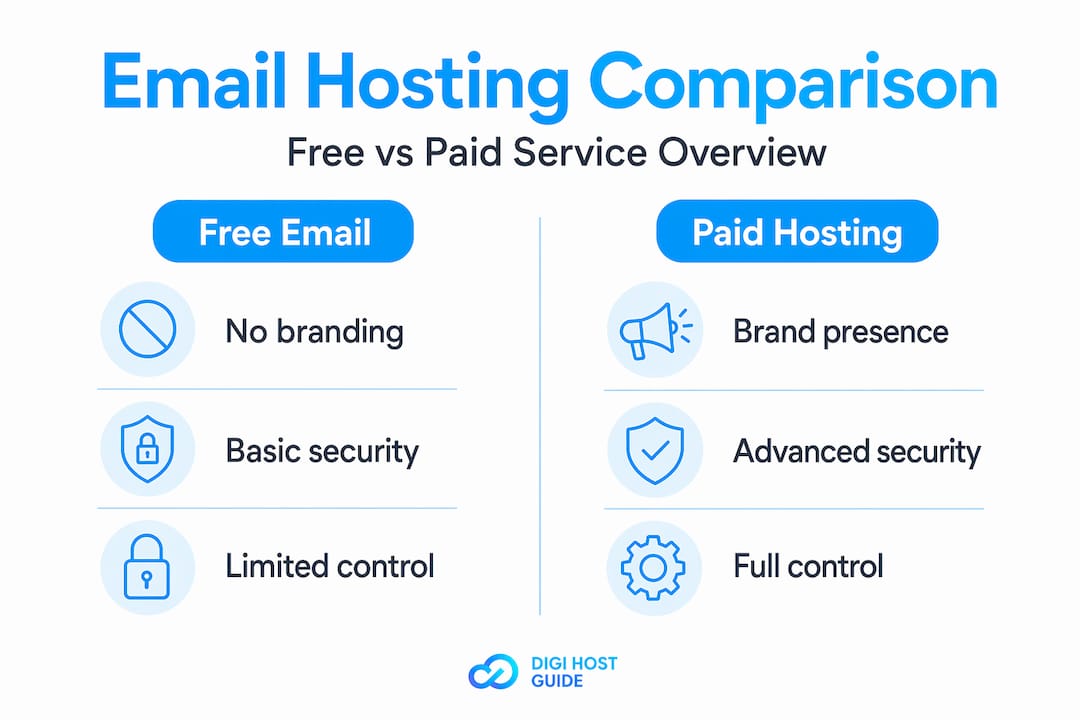
| Factor | Free email | Paid email hosting |
|---|---|---|
| Cost | $0 upfront | Low monthly fee |
| Hidden risks | Account lockout, IP blacklisting | Minimal with reputable provider |
| Scalability | Very limited | Easily expandable |
| Support | Community forums only | Dedicated business support |
| Admin controls | None | Full control |
For a broader look at hosting infrastructure decisions, this cloud vs shared hosting comparison helps you understand the technical environment your email lives in.
The overlooked value: Email hosting as an investment, not a cost
Here’s an honest take that most articles won’t give you. The reason so many small businesses and freelancers delay upgrading their email setup isn’t budget. It’s mindset.
Email hosting gets filed under “technical overhead” in most people’s heads. It feels like a utility bill, something you pay to keep the lights on, not something that actively grows your business. That framing is wrong, and it’s costing people real money.
Think about what a single lost client is worth to your business. If a prospect receives your pitch from a generic Gmail address and decides not to respond because it doesn’t look credible, that’s not a small thing. That’s potentially thousands of dollars walking out the door because of a $5-per-month decision you didn’t make.
We’ve seen this pattern repeatedly in the hosting space. Business owners invest in a beautiful website, professional branding, and quality services, then undermine all of it with an email address that signals they’re not quite ready for prime time. It’s one of the most common hosting mistakes to avoid.
Pro Tip: Send yourself a test email from your current business address and read it the way a new client would. Does the address match your website domain? Does it look like it belongs to a real business? If the answer is no, that’s your signal to act.
The other thing worth saying plainly: email hosting pays for itself. The cost of a professional email hosting plan is typically $3 to $10 per month per user. The value of even one additional client who chose you because you looked credible and professional far exceeds that annual spend. This isn’t a cost. It’s infrastructure that earns its keep.
Take control: Start your email hosting upgrade today
You’ve seen the full picture now. Professional email hosting isn’t a luxury for large companies. It’s a foundational tool for any freelancer or small business owner who wants to be taken seriously, protect their clients, and grow with confidence. The difference between a branded business email and a free generic one is the difference between looking established and looking like you’re still figuring things out.
At DigiHost Guide, we’ve done the research so you don’t have to. Our expert hosting reviews compare the best web hosting providers — including email hosting services — based on features, pricing, and real-world performance.
And if you’re ready to see your options side by side, our curated list of top hosting providers gives you a clear starting point. The right setup is closer than you think.
Frequently asked questions
What is email hosting and how is it different from free email?
Email hosting is a dedicated service that manages your business email accounts on your own custom domain, offering branded addresses, security features, and administrative control. Unlike free email, branded addresses like name@yourbusiness.com build trust and credibility with clients from the very first message.
Does paid email hosting really help with spam and delivery?
Yes. Paid hosting uses authentication protocols like SPF, DKIM, and DMARC, and proper authentication is essential for deliverability since free services often fail these checks, leading to spam folder placement or outright blocks.
Can I use business email hosting for legal or health data (HIPAA/GDPR)?
Paid hosting providers frequently offer compliance support for regulations like HIPAA and GDPR, including encryption and 2FA, which most free services do not provide at a business-grade level.
Do I need paid email hosting if I only email a few clients each week?
For very low volume use, free email may technically suffice, but free email is only sufficient for fewer than 500 emails per day and Gmail-heavy audiences. As your reputation and client list grow, paid hosting becomes the clearly better choice.
What’s the first step to upgrade from free to professional email hosting?
Register your custom domain name first, then select a reliable email hosting provider that offers branded addresses, business-grade security, and proper authentication support to get your professional setup running quickly.
