

Last Updated on: 4th August 2026, 11:33 am
Cloud hosting gets a bad reputation for being complicated and expensive, but that reputation is mostly undeserved. If you’re a small business owner or someone building your first website, what you need to know about cloud hosting is simpler than the tech industry wants you to believe. This guide cuts through the noise and gives you a clear picture of how cloud hosting works, what it costs, how it stacks up against other options, and how to pick the right plan without second-guessing yourself.
Table of Contents
- What cloud hosting actually is and how it works
- Benefits and risks worth knowing before you commit
- Cloud hosting vs. shared, VPS, and dedicated hosting
- Cloud hosting pricing: what to actually expect
- How to choose the right cloud hosting plan
- My honest take – Why hosting decisions shouldn’t be based on price alone
- Find the right cloud hosting plan with Digi Host Guide
- FAQ
What cloud hosting actually is and how it works
Most people picture a web host as a single computer sitting in a data center somewhere, storing your website files. That’s how traditional hosting works. Cloud hosting is different. Instead of relying on one physical server, your website runs across a distributed network of virtual servers. If one machine fails, another picks up the load automatically, with no downtime on your end.
This setup is made possible by virtualization. Think of it as slicing one large physical machine into many smaller virtual ones, each with its own dedicated resources. Those virtual machines can be spread across multiple data centers in different locations, which is what gives cloud hosting its reliability edge.
Here are the three main deployment types you’ll come across:
- Public cloud hosting: Resources are shared across many customers on infrastructure owned by a provider. This is the most common and affordable option for small businesses.
- Private cloud hosting: A dedicated environment built for one organization. More control and security, but significantly higher cost.
- Hybrid cloud hosting: A mix of public and private infrastructure, often used by businesses that need flexibility without fully committing to one model.
For most individuals and small business owners, public cloud hosting is the practical starting point. It delivers solid performance, good uptime, and manageable costs without requiring a team of IT professionals to maintain it.
Pro Tip: If you’re just getting started, don’t get distracted by private or hybrid cloud options. They’re built for enterprises with complex compliance requirements. Public cloud hosting covers the needs of the vast majority of small websites and online stores.
Benefits and risks worth knowing before you commit
Cloud hosting has real advantages, but it also has a few traps that catch people off guard. Understanding both sides helps you go in with clear expectations.
The advantages
The biggest selling point is scalability. With traditional hosting, you’re locked into whatever resources your plan includes. With cloud hosting, you can scale up during a traffic spike (say, a product launch or a seasonal sale) and scale back down afterward. You’re not paying for capacity you don’t use.
Cost structure is another win. Pay-as-you-use pricing means you treat your hosting like a utility bill. You pay for what you consume, not for a fixed package that may or may not match your actual needs. This model is especially useful for businesses with uneven traffic patterns.
Reliability is where cloud hosting genuinely outperforms shared hosting. Because your site lives across multiple servers, a single hardware failure doesn’t take you offline. Automatic failover is built into the architecture.

The risks
Security is the most commonly misunderstood risk. Cloud hosting is not inherently insecure, but misconfigurations are a real problem. Leaving storage buckets open to the public or using weak access credentials can expose your data. This is why managed cloud hosting plans, which include firewall management and security monitoring, are worth considering seriously.
Misconfiguration is the leading cause of cloud data breaches, not sophisticated hacking. Most incidents happen because of preventable setup errors, not technical vulnerabilities.
Cost unpredictability is another risk with pay-as-you-go plans. If your site gets a sudden traffic surge or you accidentally leave a resource running, your bill can spike. Setting spending alerts and resource limits from day one is a habit worth building early.
Cloud hosting vs. shared, VPS, and dedicated hosting
Understanding where cloud hosting fits means knowing what you’re comparing it to. Here’s a straightforward breakdown of the four main hosting types:
| Hosting Type | Resource Allocation | Performance | Management | Typical Cost |
|---|---|---|---|---|
| Shared | Split among many users | Variable, can be slow | Provider handles most | $2–$10/month |
| VPS | Dedicated virtual slice | Consistent, reliable | Partial (managed or not) | $10–$50/month |
| Cloud | Distributed, scalable | High, flexible | Varies by plan | $8–$50+/month |
| Dedicated | Entire physical server | Highest | You or provider | $80–$300+/month |
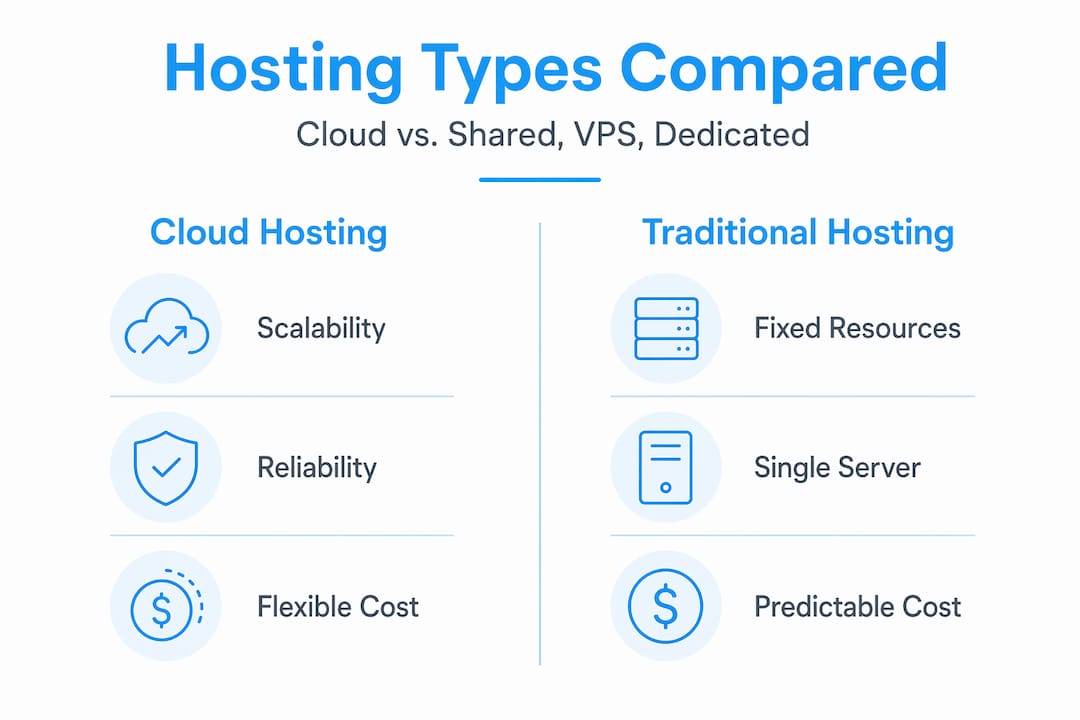
Shared hosting is the cheapest option, but you share CPU, RAM, and bandwidth with dozens or hundreds of other websites. One busy neighbor can slow your site down. VPS hosting gives you a dedicated slice of a server, which improves consistency. Cloud VPS takes this further by spreading those dedicated resources across cloud infrastructure, giving you both reliability and scalability.
Dedicated hosting gives you the entire physical machine. It’s powerful, but expensive and overkill for most small businesses.
Cloud hosting sits in a practical middle ground. You get better reliability than shared hosting, more flexibility than VPS, and a much lower entry cost than dedicated servers. For a growing small business or a content creator building an audience, it’s often the smartest choice.
One thing worth understanding is the noisy neighbor effect. In some cloud environments, other users’ traffic spikes can affect your performance if resources aren’t properly isolated. Choosing a plan with dedicated CPU and RAM allocation solves this problem directly.
Pro Tip: When comparing plans, look specifically for “dedicated resources” or “guaranteed CPU/RAM” in the plan description. Plans that say “burstable” or “shared resources” may perform inconsistently during peak hours.
You can also explore the full breakdown of hosting service types on Digi Host Guide if you want a deeper comparison before committing.
Cloud hosting pricing: what to actually expect
Pricing is where a lot of beginners get confused, mostly because cloud hosting uses different billing models than traditional hosting.
Here’s what you’ll typically encounter:
- Pay-as-you-go: You’re billed based on actual resource consumption, usually calculated hourly or monthly. Great for variable workloads, but requires monitoring to avoid surprises.
- Fixed subscription tiers: A set monthly fee for a defined amount of CPU, RAM, and storage. More predictable and easier to budget for small businesses.
- Managed vs. unmanaged pricing: Managed plans cost more upfront but include backups, security, and monitoring. Unmanaged plans are cheaper but require you to handle those tasks yourself.
Managed cloud hosting for small businesses starts around $8 to $10 per month on annual billing. At that price point, you typically get automated backups, basic security monitoring, and a control panel to manage your site without touching the command line.
Don’t be fooled by the sticker price on unmanaged plans. A $5/month unmanaged server sounds like a deal, but managed plans offset the hidden labor costs of handling backups, firewall rules, and software updates yourself. For a small business owner without a dedicated IT person, that time has real value.
Cloud infrastructure optimization can reduce costs by 80% or more compared to poorly configured setups, which means the difference between a smart plan and a careless one can be dramatic over time.
How to choose the right cloud hosting plan
Picking a cloud hosting plan doesn’t require a technical background. It requires honest answers to a few practical questions.
Assess your traffic and growth plans. A new blog or portfolio site can start with the smallest available plan. An e-commerce store expecting 1,000+ monthly visitors should start with at least 2GB RAM and a dedicated CPU core.
Decide between managed and unmanaged. If you’re not comfortable with server administration, go managed. You’ll pay a little more, but you won’t spend weekends troubleshooting failed updates or expired SSL certificates.
Check for beginner-friendly features. Look for one-click installs for WordPress or other CMS platforms. WordPress can be launched on cloud infrastructure in under 60 seconds with no coding required. That’s a genuine time-saver for anyone who just wants their site running.
Evaluate support quality. Live chat and 24/7 support matter more than you might think. When something breaks at 11pm before a product launch, you want a real person available.
Start small and scale. One of the real advantages of cloud hosting is that you don’t have to over-provision from day one. Start with a basic plan, monitor your resource usage for 30 to 60 days, and upgrade only when the data tells you to.
For a full walkthrough of getting your site live, the WordPress hosting setup guide on Digi Host Guide walks you through every step without assuming any technical knowledge.
Pro Tip: Before signing up, test the provider’s support by sending a pre-sales question. How fast they respond and how clearly they answer tells you a lot about what post-purchase support will look like.
My Honest Take -Why Hosting Decisions Shouldn’t Be Based on Price Alone
A situation I encounter frequently is businesses choosing the lowest-cost unmanaged cloud plan because the monthly fee seems attractive at first glance. Later, they discover that backups were never set up properly, important data is missing, or server issues go unnoticed until they become serious problems.
Choosing cloud hosting isn’t the issue. The challenge is evaluating providers based solely on the advertised price.
When comparing hosting options, it’s important to consider the value of your time alongside the monthly cost. Tasks such as applying updates, monitoring performance, handling security, and managing backups all require attention. For many small business owners, a managed hosting plan in the $10–15 per month range can be a more efficient and cost-effective choice, even if the initial price appears higher.
It’s also a common misconception that you need extensive technical knowledge before launching a website or application. In most cases, what matters most is having reliable support, automated backups, and management tools that are straightforward to use. The technical details can be learned gradually as your needs evolve.
The small business hosting guide on Digi Host Guide outlines the managed hosting features that deserve the most attention and provides a practical framework for evaluating providers before making a decision.
— Peter
Find the right cloud hosting plan with Digi Host Guide
If you’ve made it this far, you have a solid foundation for making a smart hosting decision. Digihost Guide exists to take the next step easier. The platform’s hosting provider reviews cover the plans most relevant to individuals and small businesses, with honest breakdowns of pricing, performance, and support quality. You can also browse the top web hosting providers list, updated for 2026, to compare options side by side without wading through marketing copy. Whether you’re launching your first site or moving away from a plan that’s no longer working, Digi Host Guide gives you the information you need to choose with confidence.
FAQ
What is cloud hosting in simple terms?
Cloud hosting stores your website across multiple connected servers rather than one physical machine, which means better reliability and the ability to scale resources up or down based on your needs.
How much does cloud hosting cost for a small business?
Managed cloud hosting for small businesses starts around $8 to $10 per month on annual billing, with that price typically including automated backups, security monitoring, and a user-friendly control panel.
What is the difference between cloud hosting and shared hosting?
Shared hosting puts your website on a single server alongside many other sites, which can affect performance. Cloud hosting distributes your site across multiple servers, offering better uptime and the ability to handle traffic spikes without slowing down.
Is cloud hosting good for beginners?
Yes. Many cloud hosting plans include one-click installs for WordPress and other platforms, meaning you can launch a site in under 60 seconds without any coding knowledge.
How do I choose between managed and unmanaged cloud hosting?
If you don’t have server administration experience, choose managed hosting. It handles backups, security, and updates for you, which saves time and reduces the risk of costly mistakes.
