

Last Updated on: 23rd May 2026, 02:25 pm
Table of Contents
- Why web hosting terms matter
- Core web hosting terminology simplified
- How DNS records impact your website
- Most misunderstood web hosting terms
- Applying your knowledge: Practical scenarios
- Why mastering hosting terminology gives you lasting control
- Next steps: Explore hosting resources and reviews
- Frequently asked questions
Key Takeaways
| Point | Details |
|---|---|
| Terminology empowers you | Understanding web hosting terms helps you set up, manage, and troubleshoot your website with confidence. |
| DNS records are critical | A clear grasp of DNS records ensures your website and emails function smoothly. |
| Myths can cause mistakes | Knowing the real meaning behind hosting terms prevents downtime and frustrating errors. |
| Apply knowledge practically | You will make smarter choices by recognizing terms in hosting dashboards and support chats. |
Why web hosting terms matter
Here’s what’s at stake when you skip the terminology:
- You can’t troubleshoot basic issues without knowing what to look for
- You may overpay for hosting features you don’t actually need
- You risk misconfiguring settings that affect site performance and email delivery
- You become completely dependent on support teams for tasks you could handle yourself
Understanding how web hosting works also helps you communicate clearly with your hosting provider. When something breaks, you’ll know what questions to ask and what answers to expect. DNS records like A, CNAME, and MX can prevent misconfiguration that leads to downtime and lost emails.
Pro Tip: Save a copy of your DNS settings before making any changes. If something breaks after an update, you’ll have a reference point to restore from.
Core web hosting terminology simplified
Understanding the need for these terms, let’s clarify exactly what each means.
Every hosting account comes with a set of terms you’ll encounter repeatedly. Some of them sound technical, but they each describe something fairly straightforward. The most common confusion beginners face is mixing up a domain and hosting. Think of it this way: your domain is your street address, and hosting is the actual building where everything is stored.

Here’s a quick reference table for the most essential terms:
| Term | What it means |
|---|---|
| Server | A computer that stores your website files and delivers them to visitors |
| Domain | Your website’s address (e.g., yoursite.com) |
| DNS | The system that connects your domain to your server |
| Bandwidth | The amount of data transferred between your site and visitors |
| Disk space | The storage capacity for your website files, images, and databases |
| SSL | A security certificate that encrypts data between your site and visitors |
| CNAME | An alias that points one domain or subdomain to another |
| MX record | A DNS record that routes email to the correct mail server |
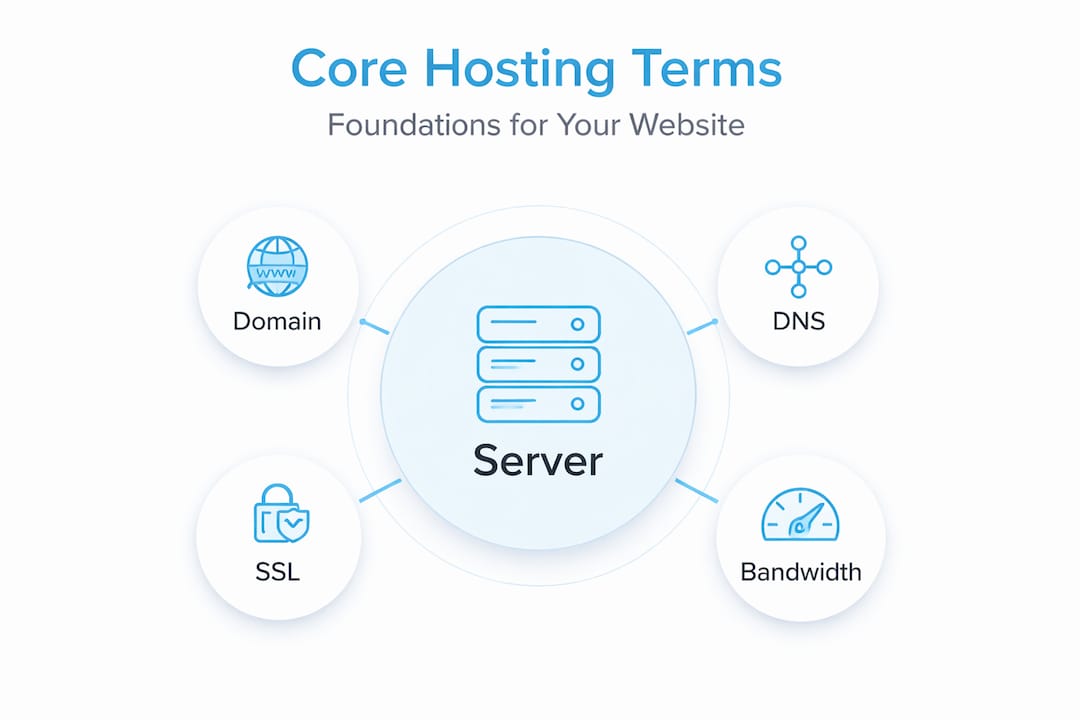
These types of hosting services each interact with these terms differently, so knowing the vocabulary helps you compare options intelligently. According to cPanel’s DNS documentation, DNS records include A (domain to IPv4), CNAME (alias to domain), MX (mail servers with priority), and TXT (SPF/DKIM verification), with MX priority following the rule that a lower number means higher priority.
A few common points of confusion worth noting:
- Domain vs. hosting: You can buy a domain from one company and hosting from another. They’re separate services.
- Bandwidth vs. disk space: Bandwidth is about traffic flow, disk space is about storage. They’re not the same thing.
- SSL vs. HTTPS: SSL is the certificate; HTTPS is what appears in your browser when SSL is active.
How DNS records impact your website
Now that you know the basics, let’s focus on DNS, one of the most critical parts of web hosting.
DNS stands for Domain Name System. It’s essentially the internet’s address book. When someone types your domain into a browser, DNS records tell the internet where to find your website and how to handle your email. Choosing a domain name is just the first step. Connecting it correctly through DNS is what makes everything actually work.
Here’s a breakdown of the four main DNS record types and what each one does:
| Record type | Function | Example use |
|---|---|---|
| A record | Points your domain to an IPv4 address | yoursite.com → 192.168.1.1 |
| CNAME | Creates an alias from one domain to another | www.yoursite.com → yoursite.com |
| MX record | Directs email to the correct mail server | Routes mail to Google Workspace |
| TXT record | Stores verification and authentication info | SPF, DKIM, Google site verification |
Here’s how each record plays a practical role:
- A record: This is the most fundamental record. It links your domain directly to your hosting server’s IP address. Without it, no one can reach your site.
- CNAME record: Useful when you want “www.yoursite.com” to behave the same as “yoursite.com,” or when connecting third-party services like a shop or booking page.
- MX record: Controls where your email goes. If this is wrong, emails sent to you disappear. DNS records each serve a specific role, and MX priority matters because a lower number signals higher delivery preference.
- TXT record: Used to verify domain ownership with services like Google Search Console and to authenticate outgoing emails so they don’t land in spam.
Pro Tip: After updating any DNS record, allow up to 48 hours for the changes to fully propagate across the internet. Don’t panic if things seem slow to update right away.
Most misunderstood web hosting terms
Having outlined DNS, let’s turn to other terms that often trip people up.
Some hosting terms sound simple but carry hidden complexity. Don’t be fooled by familiar-sounding words. They often mean something very specific in a hosting context, and choosing web hosting factors becomes much clearer once you understand what’s really being offered.
Here are the most commonly misunderstood terms:
- Bandwidth: Many hosts advertise “unlimited bandwidth,” but this rarely means truly unlimited. Most providers have fair usage policies that throttle or restrict traffic once you hit certain thresholds.
- Disk space: Labeled as “unlimited” by many providers, but again, there are usually restrictions buried in the terms of service. Always read the fine print.
- WHOIS: This is a public database that shows who owns a domain. Many registrars offer “WHOIS privacy” to hide your personal details from public view.
- SSL certificates: Beginners often think SSL is only for online stores. Not true. SSL protects any website and is now a ranking factor for Google. Every site needs it.
- MX priority: This one confuses a lot of people. A lower priority number actually means higher importance. So an MX record with priority 10 is checked before one with priority 20.
Important: Misunderstanding MX record priority can lead to email failure. If you set up two MX records and assign the wrong priority numbers, your emails may route to the wrong server or fail to deliver entirely.
Applying your knowledge: Practical scenarios
Now, let’s see how this knowledge helps in real-life hosting situations, especially when web hosting terminology explained in a clear way becomes the foundation for making better decisions.
Knowing these terms isn’t just academic. It directly helps you avoid downtime, fix problems faster, and set up your site correctly from the start. Web host selection tips become much more useful when you understand what you’re actually selecting.
Here are three real-world scenarios where this knowledge pays off:
-
Switching hosting providers: When you move to a new host, you need to update your A record to point to the new server’s IP address. If you also use a third-party email service, your MX records stay the same. Knowing this prevents you from accidentally breaking your email during a site migration.
-
Fixing email delivery failure: If your business emails suddenly stop arriving, the first thing to check is your MX records. Verify the record exists, confirm the mail server address is correct, and check that the priority number is set properly. Correctly applying DNS records prevents website outages and lost emails.
-
Installing an SSL certificate: Most hosting providers offer free SSL through Let’s Encrypt. You simply activate it from your hosting dashboard. Once active, your site switches from HTTP to HTTPS, and visitors see the padlock icon in their browser.
Pro Tip: Use a free tool like MXToolbox or Google’s DNS checker to verify your records are set up correctly after making any changes.
Why mastering hosting terminology gives you lasting control
Here’s a perspective that most beginner guides won’t tell you: managed hosting and one-click setups are convenient, but they can create a false sense of security. When something goes wrong, and eventually something always does, you’ll be completely dependent on a support ticket queue if you don’t understand the basics.
We’ve seen small business owners lose days of revenue because they couldn’t articulate their problem to a support team. They didn’t know whether the issue was with their DNS, their server, or their domain registrar. That lack of vocabulary cost them time and money.
Learning cloud hosting essentials and other hosting fundamentals isn’t about becoming a developer. It’s about being digitally self-reliant. Even knowing five or six key terms puts you in a position to diagnose problems, ask better questions, and make smarter decisions when comparing hosting plans. The hosting industry keeps evolving, but the core terminology stays remarkably consistent. What you learn today will still be relevant years from now.
Next steps: Explore hosting resources and reviews
You’re now equipped with the terminology. Here’s where to go next for hands-on guidance and decision support.
At DigiHost Guide, we’ve built library of resources specifically designed to take you from understanding basic web hosting terms to making confident hosting decisions. Browse our hosting reviews to see how top providers stack up on performance, pricing, and reliability. Use step-by-step guides and explanations on our blog on choosing a web host to apply your new knowledge in a structured way. And when you’re ready to compare your options side by side, our curated list of best hosting providers gives you a clear starting point. Your next move is easier than you think.
Frequently asked questions
What is the difference between a domain and hosting?
A domain is your website’s address, while hosting is the service that stores and delivers your website’s content. You need both to have a working website.
Which DNS record should I update to point my domain to my hosting?
You should update the A record to point your domain to your hosting server’s IP address.
What does MX priority mean in email setup?
Lower MX priority numbers have higher delivery precedence, meaning the mail server with the lowest number is tried first for incoming emails.
Do I need an SSL certificate for a simple blog?
Yes, SSL certificates help secure any website and build visitor trust, not just e-commerce sites. Google also uses HTTPS as a ranking signal.
What should I do if my website or email is not working as expected?
Check and verify your DNS records, including A and MX records, are correctly set and propagated. Correctly applied DNS records prevent website outages and lost emails.
Recommended
- What is bandwidth in web hosting: Understanding website data transfer and performance
- Types of Web Hosting Services
- Web hosting explained: Types, mechanics, and best solutions
- Web hosting security guide for small business owners
