

Last Updated on: 23rd October 2026, 05:28 pm
TL;DR:
- MySQL speed optimization involves tuning server settings, query structures, and index strategies to improve performance. Proper configuration, slow query analysis, and efficient indexing are essential for reducing latency and handling more concurrent users. Incremental, data-driven adjustments lead to better scalability and overall database responsiveness.
MySQL database speed optimization is the practice of tuning server configuration, query structure, and index design to maximize throughput and minimize query latency. Done right, it means your application responds faster, handles more concurrent users, and puts less strain on your hardware. This guide walks you through how to optimize MySQL database for speed using a systematic, phase-by-phase approach. You will work through server parameters, slow query analysis using tools like MySQL’s EXPLAIN and the slow query log, and index strategies that actually hold up at scale.
How to optimize MySQL database for speed: server configuration first
The biggest performance gains often come before you touch a single query. Proper parameter tuning can boost database performance by 50–70% without any code changes. That is a significant return for editing a configuration file.
Here are the key settings to review on any MySQL server:
- innodb_buffer_pool_size: Set this to 70–80% of available RAM on a dedicated MySQL server. On an 8GB machine, that means roughly 6GB. This setting controls how much data InnoDB caches in memory, and a larger pool means fewer reads from disk.
- innodb_buffer_pool_instances: Set one instance per gigabyte of buffer pool size. This reduces mutex contention when multiple threads access the cache simultaneously. On a 6GB pool, use 6 instances.
- innodb_flush_log_at_trx_commit: The default value of 1 gives you full ACID durability but flushes the log on every commit. Setting it to 2 can improve write throughput by 2–5x on spinning disks, at the cost of up to one second of data loss on a crash. Choose based on your durability requirements.
- innodb_io_capacity: Set this to match your storage’s actual IOPS. SSDs typically handle 2,000–10,000 IOPS. Spinning disks are usually 200–400. Misconfiguring this causes InnoDB to either under-flush or over-flush dirty pages.
- slow_query_log: Enable this in production and set
long_query_timeto 1–2 seconds initially, then tighten it to 0.1 seconds once you have addressed the obvious offenders.
Pro Tip: Run SHOW GLOBAL STATUS LIKE 'Innodb_buffer_pool_read%' to check your buffer pool hit rate. If Innodb_buffer_pool_reads is high relative to Innodb_buffer_pool_read_requests, your pool is too small and MySQL is reading from disk constantly.
One setting developers frequently overlook is sync_binlog. Setting it to 0 disables binary log syncing to disk on every write, which improves throughput on write-heavy workloads. Pair this with innodb_flush_log_at_trx_commit = 2 for maximum write speed when you can tolerate a small risk window.
Out of RAM for Your InnoDB Buffer Pool?
If your local server lacks the RAM required for large database caching, DigitalOcean Managed Databases offer fully managed MySQL clusters on NVMe SSDs with automatic failover and seamless RAM scaling.
How do you analyze and fix slow MySQL queries?
Slow queries are the most common cause of application latency, and the slow query log is your first diagnostic tool. Enable slow_query_log and set long_query_time to 0.1 seconds in production to catch queries that are quietly degrading performance. That threshold surfaces queries most developers never notice because they run in 200–300 milliseconds individually but execute thousands of times per minute.
Once you have a list of candidates, follow this process:
- Pull the worst offenders from the slow query log. Use
mysqldumpslowor Percona’spt-query-digestto aggregate and rank queries by total execution time, not just individual query time. - Run EXPLAIN on each query. EXPLAIN shows you the query execution plan: which indexes MySQL chose, how many rows it expects to examine, and whether it is doing a full table scan.
- Read the key EXPLAIN columns. The
typecolumn tells you the access method.ALLmeans a full table scan.reforeq_refmeans an index is being used efficiently. Therowscolumn shows how many rows MySQL estimates it will examine. TheExtracolumn flags expensive operations likeUsing filesortorUsing temporary. - Use EXPLAIN ANALYZE for runtime data. EXPLAIN ANALYZE, available since MySQL 8.0.18, shows actual row counts and execution times rather than estimates. This is critical when the optimizer’s estimates diverge from reality on large tables.
- Rewrite the query based on findings. Replace
SELECT *with explicit column lists. AddLIMITclauses where appropriate. Convert OR conditions to UNION queries when each branch can use a separate index. Avoid wrapping indexed columns in functions, sinceWHERE YEAR(created_at) = 2025cannot use an index oncreated_at.
Pro Tip: A rows examined to rows returned ratio above 100:1 is a clear signal the query needs better indexing or a rewrite. If MySQL examines 50,000 rows to return 10, something is wrong with the access path.
Slow MySQL queries are often caused by poor access paths and excessive data processing, not just missing indexes. Filtering rows early in the query, avoiding large sorts on unindexed columns, and reducing join complexity all reduce the total work MySQL has to do.

What is the best index design for MySQL performance?
Indexes are the most powerful tool for speeding up reads, but they are not free. Every index you add must be updated on every INSERT, UPDATE, and DELETE. Over-indexing write-heavy tables slows write operations because MySQL must update all indexes on every modification. The goal is the minimum set of indexes that satisfies your read workload.
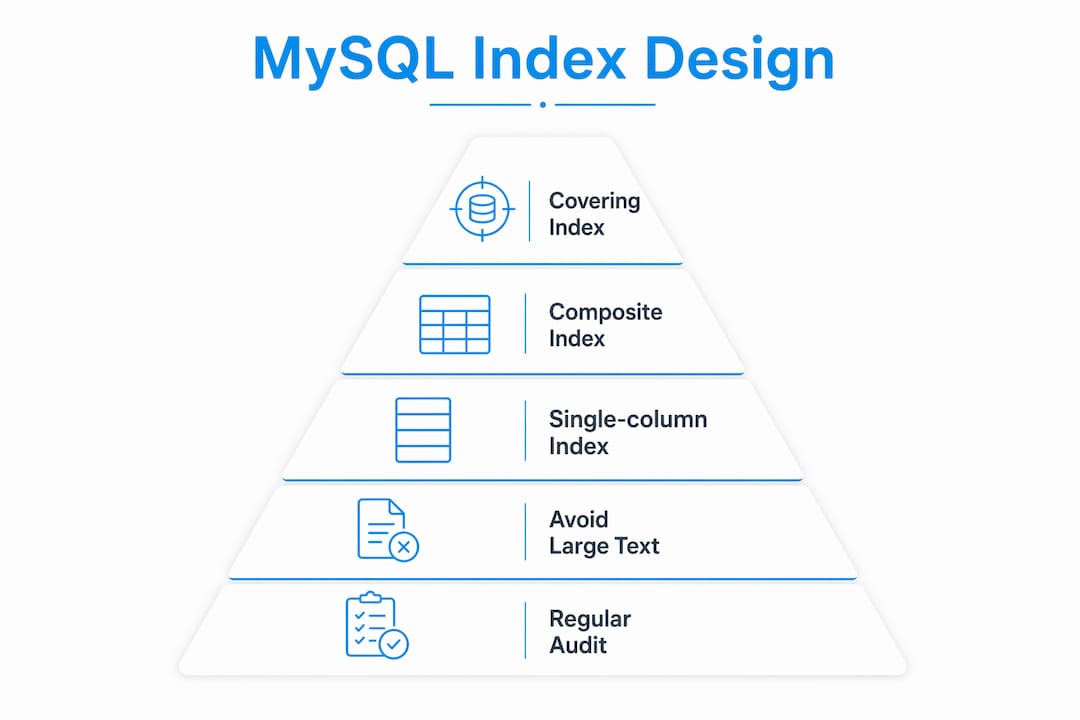
Here is a comparison of the main index types and their use cases:
| Index Type | Best For | Trade-off |
|---|---|---|
| Single-column index | Simple equality or range filters | Limited benefit for multi-condition queries |
| Composite index | Queries filtering on multiple columns | Column order matters; must match query patterns |
| Covering index | Queries that only need indexed columns | Larger index size; avoid with TEXT/BLOB columns |
| Full-text index | Text search on large string columns | Not suitable for exact-match or range queries |
Composite indexes follow a left-prefix rule. An index on (status, created_at, user_id) supports queries filtering on status alone, on status + created_at, or on all three columns. A query filtering only on created_at cannot use this index. Order your composite index columns from most selective to least selective, placing the column that eliminates the most rows first.
Covering indexes deserve special attention. A covering index contains every column a query needs, so MySQL never has to look up the actual row. This eliminates a second read operation called a row lookup. For a query like SELECT user_id, email FROM users WHERE status = 'active', an index on (status, user_id, email) covers the query entirely.
Need Enterprise Dedicated Hardware for Complex Query Workloads?
When complex covering indexes and query rewrites aren’t enough for high-concurrency applications, Liquid Web Dedicated Database Hosting delivers bare-metal RAID storage and custom DBA-level hardware tuning.
Avoid indexing large TEXT or BLOB columns. MySQL secondary indexes include all referenced columns, and large text fields make indexes bloated and slow. Prefer covering indexes on small, high-selectivity columns instead.
Audit your indexes regularly. The sys.schema_unused_indexes view in MySQL 5.7 and later shows indexes that have not been used since the last server restart. Unused indexes consume storage and slow down writes with zero benefit.
Does connection pooling actually speed up MySQL?
Connection management is an area where many developers leave significant performance on the table. Each MySQL connection is a heavyweight OS thread that consumes memory and CPU. Opening a new connection for every query adds latency and burns resources. Under high concurrency, this becomes a serious bottleneck.
Connection pooling solves this by maintaining a pool of open connections that your application reuses. Tools like ProxySQL, PgBouncer (for PostgreSQL, but MySQL has equivalents), and application-level pools in frameworks like Node.js or Java’s HikariCP handle this transparently. The result is lower per-query latency and better throughput under load.
Beyond pooling, here are the scaling strategies worth knowing:
- Read replicas: Distribute SELECT queries across one or more replica servers. This is the most common first step when read throughput exceeds what a single server can handle.
- Partitioning: Split large tables into smaller physical segments based on a column like date or region. Queries that filter on the partition key only scan the relevant partition.
- Sharding: Distribute data across multiple MySQL instances. This is complex to implement and maintain, but it is the right tool when write throughput exceeds what a single server can sustain. For guidance on building apps that scale with this kind of architecture, the scalable app design principles around CPU, RAM, and disk planning are directly relevant.
- Iterative tuning: Identify one bottleneck, fix it, verify the impact, then move to the next. Skipping this process and applying random fixes leads to scaling failures and makes it impossible to know what actually helped.
Common MySQL optimization mistakes to avoid
The most expensive mistake in MySQL tuning is adding indexes before you understand the actual bottleneck. Adding indexes prematurely can degrade write performance and increase storage requirements significantly. Always diagnose first with the slow query log and EXPLAIN before touching your index structure.
Pro Tip: Test every optimization against realistic data volumes. A query that runs in 5 milliseconds on a 10,000-row dev table can take 3 seconds on a 50-million-row production table. Query plans change as tables grow, and the optimizer may choose a completely different execution path.
Watch out for these specific pitfalls:
- Misreading EXPLAIN output: A low
rowsestimate does not always mean the query is fast. Check theExtracolumn forUsing filesortorUsing temporary, which signal expensive operations even when row counts look reasonable. - Ignoring write amplification: Every index on a table adds overhead to every write. On tables with hundreds of thousands of writes per minute, even one unnecessary index has a measurable cost.
- Testing on small datasets: Dev environments rarely reflect production data distribution. Always validate changes on a staging environment with production-scale data before deploying.
- Making multiple changes at once: Change one thing, measure the impact, then decide whether to proceed. Changing three settings simultaneously makes it impossible to attribute the result.
- Forgetting to re-run EXPLAIN after changes: After adding an index or rewriting a query, confirm MySQL is actually using the new index. The optimizer does not always behave as expected.
Hitting Disk I/O Limits During Heavy Write Spikes?
Heavy write amplification and transaction volume require predictable, high-IOPS storage. InterServer Cloud VPS offers KVM-isolated server slices on ultra-fast SSD arrays with fixed price-lock guarantees.
What i have learned from tuning MySQL at scale
After working through MySQL performance problems on applications ranging from small SaaS products to high-traffic e-commerce platforms, the pattern I keep seeing is the same. Teams reach for indexes first because indexes feel like the obvious answer. Sometimes they are. More often, the real problem is a query that retrieves far more data than it needs, or a server configuration that was never touched after the initial install.
The most underrated part of MySQL tuning is the configuration file. Most servers ship with conservative defaults designed for compatibility, not performance. Spending an hour on innodb_buffer_pool_size, flush settings, and IO capacity often produces more impact than days of query rewriting.
I have also learned to respect the write side of the equation. Read optimization is intuitive. Write optimization requires you to think about what happens at 10,000 transactions per second, not just at your current load. Indexes that feel harmless today become a serious drag when your write volume triples. For teams running MySQL on cloud infrastructure, AWS performance optimization strategies offer a useful framework for thinking about this at the infrastructure level.
The best tuning work is boring. It is methodical, measured, and incremental. You identify the biggest bottleneck, fix it, confirm the improvement with real metrics, and move on. That process scales from 100 transactions per second to 10,000.
— Stefan
FAQ
What is the fastest way to speed up MySQL queries?
Enable the slow query log, identify the worst-performing queries, and run EXPLAIN on each one. Fixing full table scans with proper indexes and rewriting queries that retrieve unnecessary data produces the fastest results.
How much RAM should i allocate to innodb_buffer_pool_size?
Set innodb_buffer_pool_size to 70–80% of available RAM on a dedicated MySQL server. On an 8GB server, that means approximately 6GB allocated to the buffer pool.
Does adding more indexes always improve MySQL performance?
No. Over-indexing slows write operations because MySQL must update every index on each INSERT, UPDATE, or DELETE. Always identify the specific query bottleneck before adding an index.
What does EXPLAIN ANALYZE do in MySQL 8.0?
EXPLAIN ANALYZE, available since MySQL 8.0.18, executes the query and returns actual runtime statistics alongside the estimated execution plan. This confirms whether the optimizer’s estimates match real behavior on your data.
How do i know if my MySQL queries need rewriting or just better indexes?
Check the ratio of rows examined to rows returned in EXPLAIN output. A ratio above 100:1 means the query is doing excessive work and likely needs both better indexing and a query rewrite to filter data earlier in execution.

