

Last Updated on: 14th June 2026, 06:13 pm
Choosing a web host is the foundational decision that determines your website’s speed, security, and uptime before a single visitor arrives. Web hosting is the service that stores your website’s files on a server and delivers them to users worldwide. Get it right and your site loads fast, stays online, and ranks well in Google. Get it wrong and you’re dealing with slow pages, unexpected downtime, and support teams that don’t pick up the phone. This guide walks you through every factor that matters, from hosting types and performance benchmarks to pricing traps and provider testing, so you can make a confident, informed choice.
How to choose a web host: start with your website type
The single most important question before comparing any hosting plans is: what kind of website are you building, and how much traffic do you expect? Your answer determines which hosting category fits, and picking the wrong one means either overpaying or underperforming from day one.
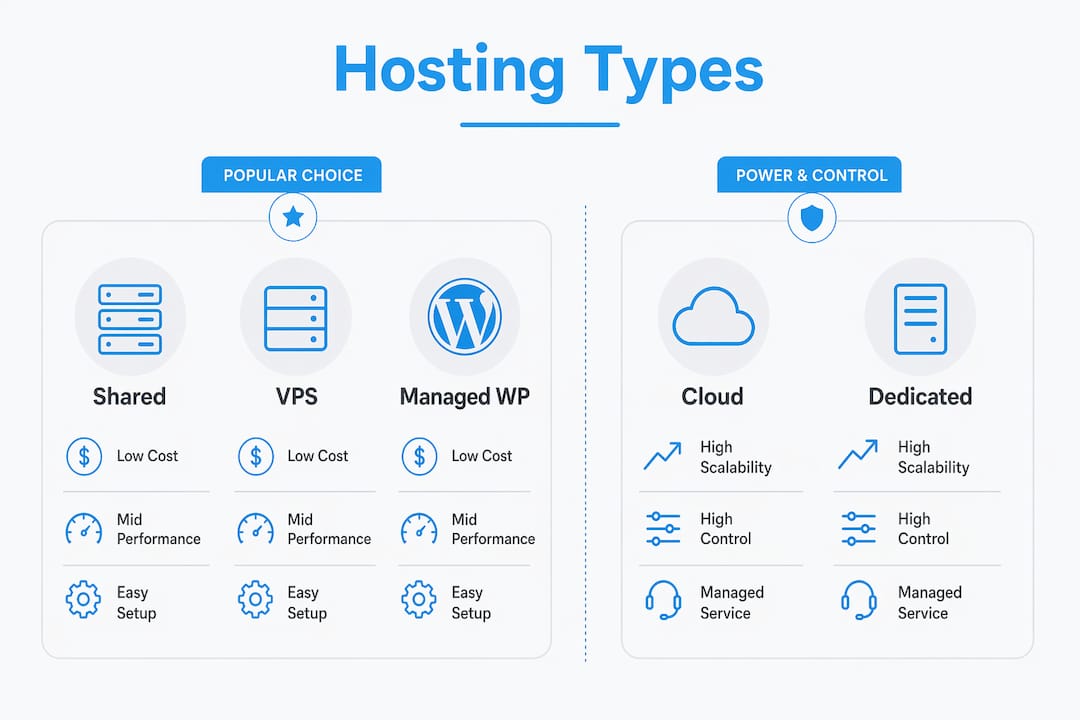
The five main types of web hosting are shared, VPS, cloud, dedicated, and managed WordPress. Each serves a different stage of website growth.
| Hosting type | Best for | Typical monthly cost |
|---|---|---|
| Shared hosting | New sites, blogs, small business brochure sites | $3–$10 |
| Managed WordPress | WordPress sites needing automatic updates and expert support | $15–$40 |
| VPS hosting | Growing sites needing more control and resources | $20–$80 |
| Cloud hosting | High-traffic or unpredictable traffic sites | $30–$100+ |
| Dedicated server | Large enterprises with heavy resource demands | $100–$400+ |
Shared hosting places your website on a server alongside hundreds of other sites. Resources like CPU and RAM are divided among all tenants. It works well for most new websites and supports up to 20,000 monthly visitors before performance starts to degrade. That covers the vast majority of small business websites and personal blogs.

VPS hosting (Virtual Private Server) gives you a dedicated slice of a physical server. You get guaranteed resources, more configuration control, and better performance under load. It’s the right move when your traffic climbs past that 20K threshold or when you’re running a WooCommerce store with active transactions.
Managed WordPress hosting is worth calling out separately because it removes technical maintenance entirely. Providers like Kinsta and WP Engine handle updates, security patches, and performance optimization automatically. For small business owners without a developer on staff, this is often the smartest starting point. Managed hosting plans include automatic updates and expert support, which adds real value beyond the monthly fee.
Cloud hosting distributes your site across multiple servers, so if one fails, another picks up the load. It scales on demand, which makes it ideal for e-commerce sites with seasonal traffic spikes. The tradeoff is higher cost and slightly more complexity in setup.
Pro Tip: If you’re launching your first business website and expect fewer than 5,000 monthly visitors in year one, start with quality shared hosting or managed WordPress and plan to upgrade to VPS once you hit consistent growth. You’ll save money without sacrificing performance.
What performance metrics actually matter in a host?
Once you know your hosting type, zone in on the technical benchmarks that separate reliable providers from unreliable ones. These are the numbers that directly affect your visitors’ experience and your Google rankings.
Uptime guarantee is the percentage of time your server stays online. The 99.9% uptime minimum is the 2026 industry standard. At 99.9%, your site could still be down up to 87 hours per year. A provider offering 99.99% uptime reduces that to under 53 minutes annually. For a business website, that difference is significant. Check whether the provider backs their uptime claim with a Service Level Agreement (SLA) that includes service credits if they miss the target. An SLA without credits is just marketing language.
Server response time, measured as Time to First Byte (TTFB), tells you how quickly the server starts delivering data after a browser request. A TTFB above 600ms actively damages your SEO rankings. The target is under 300ms, with under 200ms considered excellent. Providers running LiteSpeed servers with NVMe SSD storage consistently hit these numbers. Standard Apache servers with traditional SSD storage often fall short under load.
Here are the key features to verify before committing to any provider:
- Free SSL certificate via Let’s Encrypt. SSL encrypts data between your site and visitors and is required for Google’s trust signals. SSL should always be free from your host. Any provider charging $50–$100 per year for SSL is upselling you on something that costs them nothing. You can read more about why this matters in Digi Host Guide’s breakdown of SSL certificate importance.
- Automatic daily backups with at least 7-day retention and a free one-click restore option. Paid restore policies are a red flag. Backups are a basic safety net, not an upsell.
- Control panel usability. cPanel remains the most widely used hosting control panel for a reason. It’s intuitive, well-documented, and supported by thousands of tutorials. Some providers use proprietary panels that look clean but lack flexibility.
- Malware scanning and firewall protection. Entry-level plans should include at least basic malware detection. If a provider charges extra for security scanning on a shared plan, look elsewhere.
- 24/7 customer support with live chat and technical expertise. Support quality directly impacts your ability to resolve outages fast. Test this before you buy by asking a technical question through live chat and timing the response.
Pro Tip: Ask support: “What is your average TTFB on shared hosting plans and what server technology do you use?” A provider that can’t answer this clearly is telling you something important about their technical depth.
How to evaluate pricing without getting burned
Pricing in the web hosting market is deliberately confusing. Most providers advertise introductory rates that look attractive but multiply sharply at renewal. Understanding the real cost structure is one of the most practical tips for web host selection.
Good-quality shared hosting costs $3–$5 per month when billed annually. Plans priced below $2 per month are almost always oversold servers with too many sites competing for the same resources. The low price reflects the overcrowding, not a bargain. Slow load times and frequent downtime are the predictable result.
The renewal trap is where many buyers get caught. Introductory rates can multiply by three to five times at renewal. A plan advertised at $2.99 per month may renew at $6.99 or higher. Always calculate the total cost over three years, not just the first term. A provider charging $4.50 per month with stable renewal pricing often costs less over three years than one advertising $1.99 with a 3x renewal jump.
| Cost factor | What to check |
|---|---|
| Introductory vs renewal price | Ask for the renewal rate before purchasing |
| Free domain inclusion | Confirm whether it renews free or at market rate |
| SSL certificate cost | Should be $0. Anything else is an upsell |
| Email hosting | Some plans exclude email or charge separately |
| Migration fee | Quality providers offer free site migration |
| Backup restore fee | Should be free with one-click restore |
Beyond the monthly fee, watch for paywalls on features that should be standard. These include SSL certificates, email accounts, and site migration. A provider that charges for all three is adding $100 to $200 in hidden annual costs that never appear in the headline price. When doing a web hosting comparison, always build a full-cost picture before deciding.
How to shortlist providers and test them before you commit
A shortlist of two or three providers is the right place to start. Narrowing down from dozens of options is easier when you apply your hosting type, traffic estimate, and must-have features as filters. This is where choosing a reliable host becomes a process rather than a guess.
Follow these steps to evaluate your shortlist properly:
- Check independent uptime monitoring data. Sites like UptimeRobot and independent review platforms publish real-world uptime records. A provider claiming 99.9% uptime but showing 98.5% in third-party data is not meeting its own standard.
- Test customer support before buying. Open a live chat and ask a specific technical question, such as what server stack they use or whether their shared plans include LiteSpeed. Measure response time and assess whether the answer is genuinely technical or scripted.
- Read recent reviews on third-party platforms. Look at Trustpilot, G2, and hosting-specific forums from the past six months. Patterns in complaints about billing, support, or downtime are more reliable than star ratings alone.
- Review the SLA and refund policy. A money-back guarantee of 30 days is standard. Providers offering 45 or 60 days show more confidence in their product. Evaluating refund and SLA policies reduces the risk of being locked into a contract with a provider that underdelivers.
- Confirm scalability options. Your hosting needs will grow. Check that upgrading from shared to VPS, or VPS to cloud, is a straightforward process within the same provider. Migrating to a new provider mid-growth is disruptive and time-consuming.
For small businesses, the small business hosting guide on Digi Host Guide covers when to start with shared hosting and exactly when the signals point to upgrading.
Pro Tip: Sign up for a month-to-month plan first if the provider offers one, even at a slightly higher rate. Run your site for 30 days and monitor actual uptime and load speed with a free tool like GTmetrix before committing to a longer contract.
Key takeaways
Choosing the right web host requires matching your hosting type to your traffic needs, verifying performance benchmarks, and calculating the true three-year cost before signing up.
| Point | Details |
|---|---|
| Match hosting type to traffic | Shared hosting handles up to 20,000 monthly visitors; upgrade to VPS or cloud beyond that. |
| Prioritize uptime and TTFB | Require 99.9% minimum uptime and a TTFB under 300ms for SEO and user experience. |
| Demand free SSL and backups | SSL via Let’s Encrypt and daily backups with free restore should be included at no extra cost. |
| Calculate three-year total cost | Introductory rates can triple at renewal; always compare full-term pricing before committing. |
| Test support before buying | Ask a technical question via live chat before purchasing to verify response quality and speed. |
Why I think many people choose a host for the wrong reasons
One thing I keep seeing over and over is that people focus almost entirely on the advertised price. They spot a plan for $1.99 a month, sign up, and only later realize that low cost often comes with compromises. A few months down the road, they’re wondering why their site takes several seconds to load or why support takes days to answer a simple question.
In many cases, extremely cheap shared hosting plans are inexpensive because the servers are heavily populated. Hundreds of websites may be sharing the same resources, so when one account experiences a traffic spike, everyone else on that server can feel the impact. There is only so much optimization you can do when the underlying resources are stretched thin.
My advice to small business owners is simple: think of hosting as part of your website’s infrastructure, not just another expense to cut to the absolute minimum. Paying $5 a month instead of $1.50 may only add a few dozen dollars a year, but it can make a noticeable difference in speed, reliability, and the amount of time you spend dealing with avoidable problems.
If you’re just getting started and don’t have much technical experience, managed shared hosting or managed WordPress hosting is usually the easiest path. Automatic updates and access to knowledgeable support are often worth the slightly higher price, especially during the first year when you’re still learning. As your traffic and business grow, moving to a VPS becomes a natural next step. For most website owners, that approach tends to be the most practical and helps avoid many of the mistakes people make when choosing hosting for the first time.
— Peter
Find your best hosting match with Digi Host Guide
Digi Host Guide publishes regularly updated hosting reviews and provider comparisons built specifically for individuals and small business owners. Every review covers real-world performance data, pricing transparency, support quality, and the features that matter most for your use case. Whether you’re launching a first website or upgrading from a plan that’s holding you back, the top hosting providers list is updated for 2026 with current pricing and verified uptime records. Use it to compare your shortlist side by side and find the plan that delivers genuine value, not just a low headline price.
FAQ
What is the minimum uptime I should accept from a web host?
The minimum acceptable uptime guarantee in 2026 is 99.9%, which allows up to 87 hours of downtime per year. For business-critical websites, look for 99.99% uptime, which limits downtime to under 53 minutes annually.
How do I know if a hosting plan is too cheap?
Shared hosting plans priced below $2 per month are typically oversold, meaning too many sites share the same server resources. Quality shared hosting costs $3–$5 per month and delivers reliable performance without the overcrowding.
Should I pay for an SSL certificate from my host?
No. SSL certificates should always be free from your hosting provider, using automated tools like Let’s Encrypt. Any host charging $50–$100 per year for SSL is upselling you on a standard feature that costs them nothing to provide.
What is TTFB and why does it matter for my website?
TTFB stands for Time to First Byte, the time it takes for a server to start delivering data after a browser request. A TTFB above 600ms damages your SEO rankings; aim for under 300ms, which providers using LiteSpeed servers and NVMe SSD storage routinely achieve.
When should a small business upgrade from shared to VPS hosting?
Upgrade from shared to VPS hosting when your site consistently receives more than 20,000 monthly visitors or when you notice performance degrading under normal traffic. VPS gives you dedicated resources and better stability for growing sites and active e-commerce stores.
