

Last Updated on: 6th September 2026, 01:53 pm
Choosing between an established industry giant and a performance-driven eco-friendly host isn’t always straightforward. Low introductory rates can easily hide steep renewal pricing or outdated server setups. A clear HostGator vs GreenGeeks comparison highlights how their speed, infrastructure, and sustainability commitments differ—giving you the insight needed to pick a host that delivers lasting value.
Table of Contents
HostGator

At a Glance
According to the company, shared hosting starts at $3.75/month on a 36-month term, backed by a 30-day money-back guarantee. HostGator advertises a mix of shared, WordPress, VPS, dedicated, and reseller plans that scale as sites grow. The platform bundles free SSL, a first-year free domain on qualifying plans, full cPanel access, and Cloudflare CDN integration.
Core Features
HostGator uses cPanel for account and site management and offers one-click WordPress installation to reduce setup time. Shared plans include unmetered bandwidth while VPS and dedicated plans use NVMe storage for higher performance. Security tools in the stack include automated malware detection, DDoS protection, and daily backups for WordPress plans.
Key Differentiator
HostGator pairs low entry pricing and beginner-friendly tools with a broad set of hosting types that let you upgrade without changing vendors. The combination of full cPanel control, 24/7 phone support, and Cloudflare CDN integration reduces initial setup steps for small businesses. That combination positions HostGator toward owners who want a single provider for growth from a simple blog to resource-heavy sites.
Pros
HostGator delivers accessible features for new site owners while keeping advanced options for scaling. The interface and one-click WordPress setup make onboarding fast for non-technical users, and the presence of NVMe storage on higher tiers improves performance for resource-intensive sites. The company includes full cPanel management, security basics such as free SSL and automated malware detection, plus 24/7 live chat and phone support for troubleshooting.
Cons
- Renewal prices can be significantly higher than introductory rates, which raises long-term hosting costs.
- Servers are located primarily in the United States, which may affect site speed for visitors far outside that region.
- Advanced security and enterprise-level protections require additional purchases beyond the included features.
- Domains registered with HostGator cannot be transferred within the first 60 days.
When It May Not Fit
You should avoid HostGator if your audience is concentrated outside the United States and you need consistently low latency without relying solely on a CDN. You should look elsewhere if you need free advanced security features at no extra cost. High-traffic enterprise sites seeking global edge presence and managed compliance controls may find the base offering limited.
Notable Integrations
- Cloudflare CDN for content delivery and caching.
- Let’s Encrypt SSL for automated certificate provisioning.
- cPanel for control panel access and site administration.
- WordPress plugin ecosystem for theme and plugin compatibility.
Who It’s For
HostGator fits small business owners, bloggers, and startups that want affordable hosting and straightforward site setup. It also suits freelancers who need an easy WordPress install and basic security tools while they grow. Companies that expect to scale to VPS or dedicated servers without switching hosts will find the upgrade path useful.
Real World Use Case
A freelance designer builds a portfolio on HostGator shared WordPress hosting, using the one-click installer and free SSL to launch quickly. The designer relies on 24/7 support for domain and email setup while traffic grows. When a client project needs more resources, upgrading to a VPS plan preserves the site and hosting continuity.
Pricing
According to the company, shared hosting starts at $3.75/month on a 36-month commitment, renewing at $10.99/month for the Hatchling tier. The Baby and Business shared plans increase from there, and VPS or dedicated servers are offered at higher price points. HostGator provides a 30-day money-back guarantee on shared hosting plans.
Website: https://www.hostgator.com/
Ready to Start with HostGator?
Get budget-friendly hosting with a free domain for the first year, 1-click WordPress installation, and full cPanel control.
GreenGeeks
At a Glance
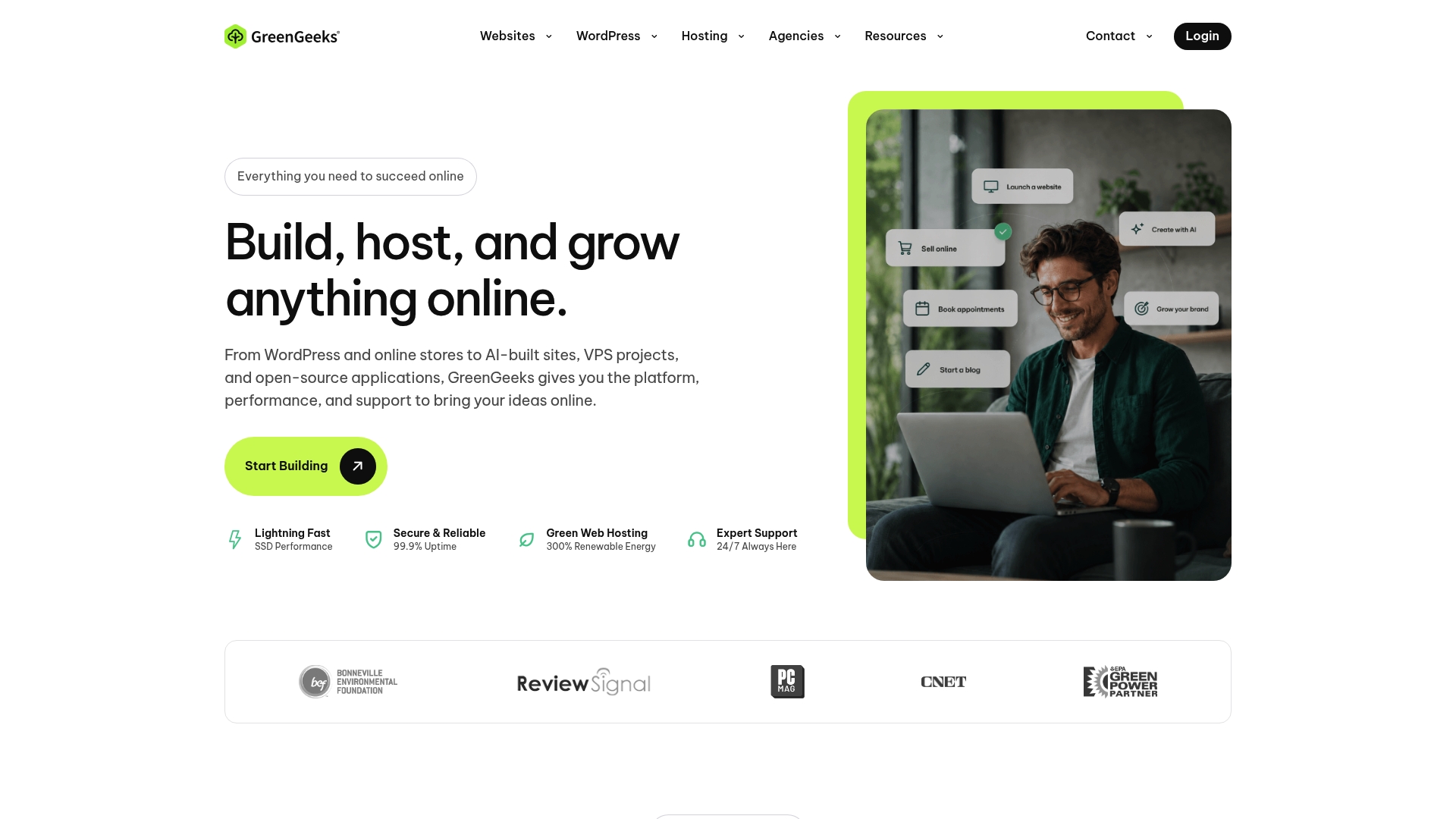
GreenGeeks reports offsetting 300% of its energy consumption using renewable energy credits, a concrete claim that underpins its market angle. The host pairs that claim with LiteSpeed servers and NVMe storage for faster page loads. Free nightly backups and migration tools are included to reduce downtime during a platform move.
Core Features
According to the company, GreenGeeks serves over 55,000 customers and hosts more than 600,000 websites worldwide. The platform uses LiteSpeed web servers and NVMe SSD storage across shared plans to improve response times and handle traffic spikes. Annual plans include free domain registration for the first year, free nightly backups, free expert migrations, and a Cloudflare CDN integration for global delivery.
Key Differentiator
GreenGeeks stands out for its environmental claim while still offering mainstream hosting features. That figure supports marketing for clients who want sustainability as part of their brand message. The combination of renewable energy offset and performance-focused tech creates a distinctive positioning among shared and managed hosts.
Pros
GreenGeeks delivers environmentally oriented branding along with practical hosting features that matter to website owners. Its use of LiteSpeed and NVMe hardware improves page speed and resource handling for small business sites and blogs. The platform bundles free nightly backups, free migrations, and a one-year free domain with annual plans, which reduces one-time setup friction. Support is available by chat, ticket, and phone around the clock, and plans scale from single-site shared hosting to VPS and reseller options.
Cons
- Introductory pricing is attractive. Renewal rates increase significantly after the initial term, which raises long-term costs for stable sites.
- Support response times can vary. Service may slow during peak hours and complex issues sometimes take longer to resolve.
- Dedicated server offerings lag competitors. The vendor uses older dedicated hardware with fewer resources than some rivals.
When It May Not Fit
If you expect predictable billing, the sharp renewal price jumps make GreenGeeks a poor match for long-running sites on tight margins. Large enterprise workloads and resource-intensive applications will find the dedicated plans underpowered. Agencies requiring the fastest dedicated hardware for high-traffic clients should look at providers with newer dedicated platforms.
Notable Integrations
GreenGeeks connects to common web hosting tools and caches that simplify site management and speed.
- Cloudflare CDN
- LiteSpeed Cache
- cPanel
- Softaculous
Who It’s For
Owners who want an affordable host with an environmental story will find GreenGeeks appealing. Small to medium business owners, bloggers, and agencies managing multiple client sites benefit from reseller and VPS scalability. Developers who prioritize speed plus a greener hosting message will get the most value.
Real World Use Case
A freelance web developer uses GreenGeeks reseller hosting to consolidate client sites under a sustainability promise. The free migration service and nightly backups cut onboarding time and reduce migration risk. LiteSpeed performance and Cloudflare integration help maintain responsive sites while marketing them as eco-friendly.
Pricing
Shared plans start at $2.95/month for the Lite plan with one website and 50 GB web space under introductory pricing. Pro and Premium tiers list around $4.95/month and $8.95/month for unlimited sites and resources on initial terms. VPS hosting begins near $69.95/month, and reseller plans start around $19.95/month; a 30-day money-back guarantee applies.
Website: https://www.greengeeks.com/
Switch to Eco-Friendly & Fast Hosting with GreenGeeks
Boost your site speed with high-performance LiteSpeed + NVMe SSD technology while offsetting your digital carbon footprint by 300%.
Comparison of alternatives
Website owners often evaluate hosting providers considering factors such as service sustainability, raw performance, and hosting plan scalability. In the comparison between HostGator and GreenGeeks, these elements prominently distinguish each option, aiding decision-making depending on a user’s priorities.
Environmental impact and sustainability
GreenGeeks stands out for its commitment to environmental sustainability, leveraging renewable energy credits to offset 300% of its power consumption. This allows businesses prioritizing ecological branding to align their hosting needs with their values. HostGator, while offering reliable hosting services, does not emphasize sustainability in the same capacity, positioning itself better for general rather than eco-specific use cases.
Hosting options and scalability
HostGator excels in offering a broad range of hosting plans, from shared hosting to dedicated servers. This scalability serves businesses anticipating future growth by allowing upgrades without the need to change providers. In comparison, while GreenGeeks offers competitive plans, its range, particularly concerning cutting-edge dedicated servers, does not match HostGator’s, making it less suitable for enterprise-level needs.
Performance, Infrastructure & Migration Differences
When looking beyond introductory marketing, critical technical differences emerge between HostGator and GreenGeeks that directly impact day-to-day site management and Google rankings:
- Server Architecture & Speed: GreenGeeks utilizes modern LiteSpeed Web Servers paired with NVMe SSD storage across its shared tier. This setup natively supports LiteSpeed Cache (LSCache) for WordPress, yielding significantly faster Time to First Byte (TTFB) and superior Google Core Web Vitals (LCP, INP) compared to HostGator’s standard Apache web server environment.
- Hands-Free Site Migration: GreenGeeks provides a completely free, expert-assisted site migration performed manually by their technical support team for seamless moves with zero downtime. HostGator offers migration tools within the first 30 days, but these often rely on automated scripts or strict cPanel-to-cPanel transfer conditions that require more user oversight.
- Ownership & Business Structure: HostGator is part of Newfold Digital (formerly EIG), a massive corporate enterprise known for aggressive upselling in the admin user panel. GreenGeeks operates as an independent web host, resulting in a cleaner dashboard, more responsive resource allocation, and less administrative clutter.
- Resource Limits Transparency: While HostGator advertises “unmetered” storage and bandwidth, shared accounts are governed by strict Inodes limits (typically capped at 250,000 files). GreenGeeks provides clear, real-time metrics for CPU and RAM allocation within cPanel, making resource consumption far more transparent.
How Do HostGator and GreenGeeks Compare on Real-World Speed and Performance Benchmarks?
While real-world speed depends on site optimization, independent hosting benchmarks and synthetic speed tests (via GTmetrix and Google PageSpeed Insights) reveal a clear performance gap between HostGator and GreenGeeks on standard WordPress installations:
- Time to First Byte (TTFB): GreenGeeks (~280ms – 420ms) vs HostGator (~600ms – 850ms). GreenGeeks responds significantly faster due to LiteSpeed server architecture.
- Fully Loaded Time (Stock WP): GreenGeeks (~1.1s – 1.5s) vs HostGator (~1.8s – 2.4s). Faster overall load times reduce user bounce rates and boost SEO rankings.
- Web Server Tech: GreenGeeks uses LiteSpeed Enterprise, whereas HostGator relies on Apache / NGINX Proxy. LiteSpeed handles high concurrent traffic with far less CPU overhead.
- Caching Solution: GreenGeeks includes built-in LiteSpeed Cache (LSCache), while HostGator offers basic cPanel caching or third-party plugins. LSCache provides deep server-level caching specifically tuned for WordPress.
Performance Takeaway: In benchmark comparisons, GreenGeeks consistently outperforms HostGator in Time to First Byte (TTFB) and Largest Contentful Paint (LCP). GreenGeeks’ combination of NVMe SSDs and the LiteSpeed Cache plugin allows WordPress sites to achieve higher Google Core Web Vitals scores without requiring expensive performance add-ons.
Best fit
- GreenGeeks caters to eco-conscious brands prioritizing environmental sustainability and top WordPress performance via LiteSpeed.
- HostGator proves beneficial for scaling businesses needing a host with extensive plan options from shared servers to VPS and beyond.
- Agencies and site owners managing website transfers find immense value in GreenGeeks’ free expert migration services paired with nightly automated backup features.
- Tech-oriented users exploring customizable hosting environments and extensive resources benefit from HostGator’s advanced dedicated server options.
Our pick
GreenGeeks serves website owners seeking to reduce their environmental impact without compromising speed or managed capabilities. Its modern LiteSpeed stack makes it the stronger performer for WordPress sites out-of-the-box. HostGator supports startups and growing businesses that require a flexible and scalable hosting framework with diverse plan varieties and 24/7 phone support. Choosing between them essentially comes down to balancing environmental priorities and raw server technology against long-term upgrade flexibility.
This comparison table highlights the features, pricing, and ideal uses for HostGator and GreenGeeks to help you choose the best web hosting provider for your needs.
| Provider | Starting Price | Core Features | Target Audience | Unique Offerings |
|---|---|---|---|---|
| HostGator | $3.75/month | cPanel, unmetered bandwidth, Cloudflare CDN integration | Small to medium businesses, startup blogs | 24/7 phone & live chat support, 30-day money-back guarantee, scalable VPS to dedicated hosting |
| GreenGeeks | $2.95/month | LiteSpeed web servers, NVMe SSD storage, nightly backups | Eco-conscious users, developers valuing speed | 300% renewable energy offset, free expert migration, eco-friendly branding |
Final Verdict: Which Host Should You Choose?
Your decision comes down to your primary goal for 2026:
For Best Speed & Eco-Friendly Hosting
Choose GreenGeeks for LiteSpeed NVMe performance, free expert migration, and 300% green energy offset.
For Traditional Scaling & Full cPanel Control
Choose HostGator for beginner-friendly onboarding, full cPanel management, 24/7 phone support, and easy VPS upgrades.
FAQ
Which platform is better for beginners, HostGator or GreenGeeks?
HostGator is slightly better for total beginners due to its user-friendly onboarding tools, full cPanel control, and 1-click WordPress installation. However, GreenGeeks is equally accessible and offers free expert migration, which makes onboarding even easier if you already have a website.
How do HostGator and GreenGeeks compare on pricing?
HostGator starts at $3.75/month for shared hosting with a 30-day money-back guarantee, renewing at $10.99/month for the Hatchling tier. GreenGeeks starts at $2.95/month for the Lite plan with a 30-day money-back guarantee. Both providers implement significant renewal price increases, but GreenGeeks offers stronger technology (LiteSpeed + NVMe) at its lower introductory tier.
What security features does HostGator offer compared to GreenGeeks?
HostGator includes automated malware detection and free SSL, while GreenGeeks provides automatic nightly backups, free SSL, and proactive server monitoring. Both hosts offer options for paid security add-ons like SiteLock for advanced cleanup.
Are there any limitations to using HostGator for international audiences?
Yes, HostGator’s primary data centers are located in the United States, which might affect site speed for visitors from Europe or Asia-Pacific if you don’t use a CDN. GreenGeeks offers server locations in the U.S., Canada, and Europe, making it easier to serve global audiences with lower latency.
Who should consider using GreenGeeks instead of HostGator?
GreenGeeks is ideal for site owners who prioritize fast WordPress performance (via LiteSpeed and NVMe SSDs) alongside environmental sustainability. It suits bloggers, freelancers, and small-to-medium businesses that want top-tier loading speeds and hands-free migration assistance.

